Google Business Profile Optimization Checklist: Google Maps pe Upar Kaise Aaye
Dukan, clinic, coaching ke liye Google Business Profile optimization checklist: category, NAP, photo, review, post aur suspension wali galtiyan.
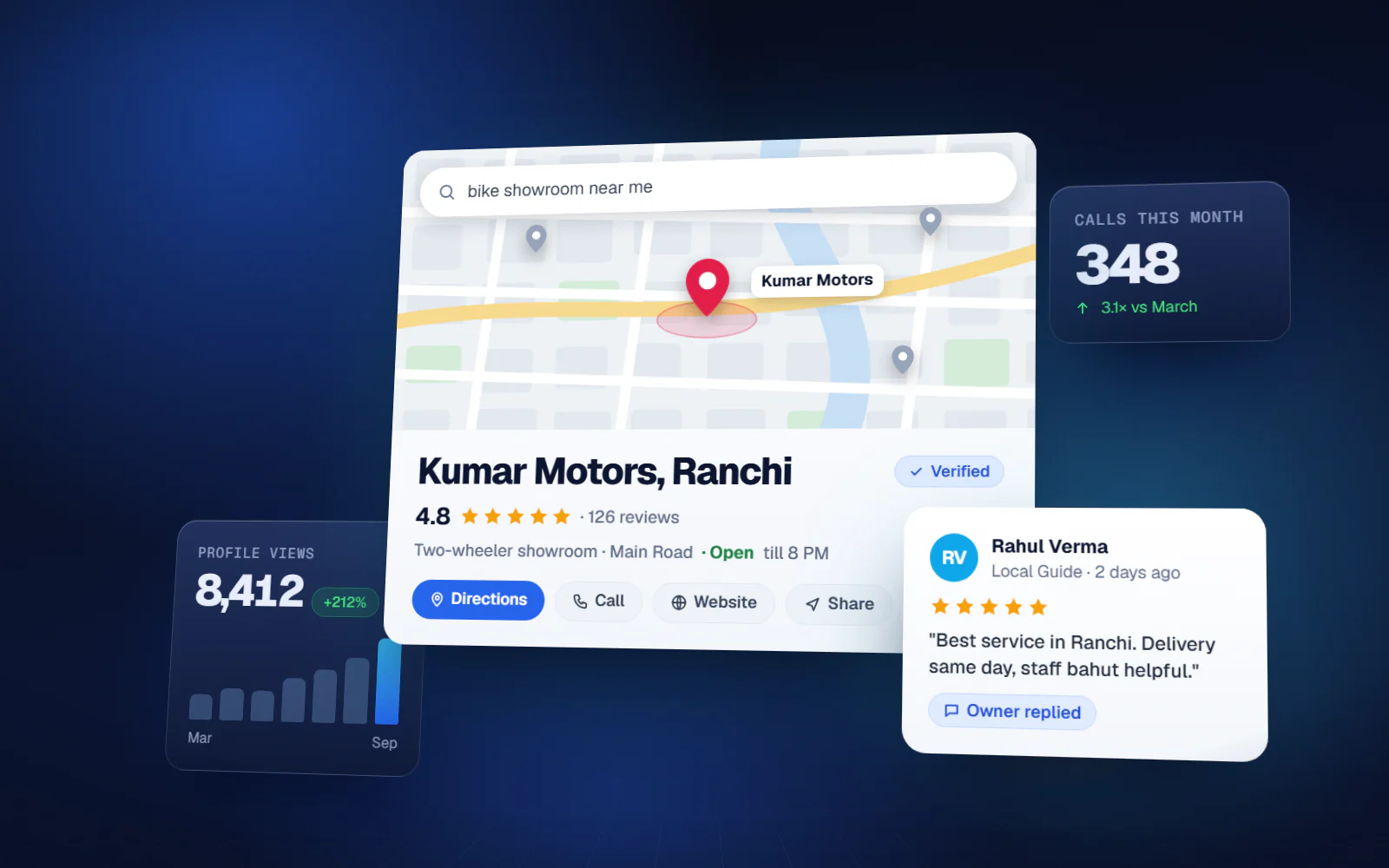
Ranchi me koi 'dentist near me' ya 'Lalpur me class 10 coaching' search karta hai to Google website se pehle map pe teen business dikhata hai. Unme aap ho ya nahi, ye zyadatar aapki Business Profile pe depend karta hai. Ye Google Business Profile optimization checklist wahi cheezein batati hai jo sach me local ranking badhati hai — us order me jisme ek busy owner ko karna chahiye — aur wo galtiyan bhi jinse listing suspend ho jaati hai.
Google Maps pe kaun dikhega, Google kaise tay karta hai
Google ke apne help pages local result ke teen factor batate hai. Relevance — aapki profile search se kitna match karti hai. Distance — search karne wale se aap kitni door ho. Prominence — aapka business kitna jaana-maana hai, jisme reviews, rating aur kitni websites aapka zikr ya link karti hai, sab aata hai. Distance aap badal nahi sakte, isliye neeche ka saara kaam relevance aur prominence pe hai.
Isi wajah se koi imaandari se har search me top spot ka vaada nahi kar sakta. Jo customer competitor ki dukan ke bagal me khada hai, use aksar competitor pehle dikhega. Aap itna kar sakte ho ki apne area me sabse strong profile aapki ho.
Google Business Profile optimization checklist: basic kaam
1. Profile verify karo aur ownership apne paas rakho
- Listing verify karo. Tarika Google tay karta hai — aajkal aksar ek chhota video jisme signboard, dukan ka andar ka hissa aur ye proof ki business aap chalate ho.
- Owner account aapka business email ho, kisi staff ka personal Gmail ya purani agency ka nahi.
- Listing pehle se kisi aur ke control me hai to duplicate mat banao — Google se ownership request karo.
2. Naam, address aur phone (NAP) bilkul asli jaisa
Wahi naam likho jo board pe aur GST ya shop registration me hai. Naam me 'Best Dental Clinic Ranchi' jaise shabd mat jodo. Google ki guideline kehti hai naam asli business naam jaisa ho, aur keyword stuffing listing edit ya suspend hone ki sabse common wajah hai. Website, Facebook page, Justdial aur har directory pe same naam, address aur phone rakho taaki Google ko ek hi consistent business dikhe.
3. Sahi category chuno
Primary category baaki sab likhe hue se zyada matter karti hai. Sabse specific category chuno jo pure business ko describe kare — 'Doctor' ki jagah 'Dental clinic', 'School' ki jagah 'Coaching center'. Nau tak additional category jod sakte ho, par sirf wahi jo sach me sahi ho. Do-teen sahi category nau dheeli category se behtar kaam karti hai.
4. Har field bharo
- Opening hours, aur Diwali, Chhath, Eid jaise tyohar ke special hours bhi
- Services ya products — chhota, simple description, aur theek lage to starting price
- Service area, agar aap customer ke ghar jaate ho (plumber, pest control, AC repair)
- Business description customer ke liye: kya karte ho, kiske liye, kis area me — keyword ki list nahi
- Attributes jaise wheelchair access, online appointment, payment options — jo sach me hai
- Website link aur appointment/booking link, agar hai
Photo aur video jo customer ko decide karne me madad kare
Asli photo wali profile zinda lagti hai; stock image wali lagti hai jaise koi sambhal hi nahi raha. Saaf logo aur cover lagao, road se dukan ka front (pehli baar aane wale ko dhoondhne me madad), andar ki photo, team, aur aapke asli product ya kaam. Clinic reception aur treatment room dikha sakta hai; coaching classroom aur result board; showroom apna best display. Pehle din pachaas photo daalne ki jagah har mahine kuch nayi photo daalo.
Reviews: prominence ka wo hissa jo aapke haath me hai
Reviews prominence me gine jaate hai aur customer sabse pehle wahi padhta hai. Ek hafte me pachaas review se zyada kaam aata hai lagataar naye, genuine reviews. Maangna aasaan aur routine banao:
- Review link wala QR code print karke billing counter, reception ya bill pe lagao
- Service ya delivery ke baad WhatsApp pe review link bhejo
- Har customer se maango, sirf khush walon se nahi — kisse maangna hai ye filter karna (review gating) Google policy ke khilaaf hai
- Review ke badle discount, gift ya cashback kabhi mat do; Google har tarah ka incentive mana karta hai
- Har review ka reply do, achha ho ya bura, kuch din ke andar — shaanti se, patient ya customer ki private detail share kiye bina
Posts aur profile active rakhna
Google Business Profile posts se aap update, offer aur event daal sakte ho jo profile pe dikhte hai. Update post lagbhag ek hafte baad peeche chala jaata hai, isliye hafte me ek post achha rhythm hai. Offer aur event aapki di hui date tak rehte hai. Achhe local post simple hote hai: naya stock aaya, naye batch ka admission open, Sunday ko free check-up camp, tyohar ki timing.
Google ne purana public Q&A section hata diya hai; ab customer ke sawaalon ka jawab Google khud aapki profile detail, website aur reviews se banata hai. To agar log baar-baar 'Parking hai kya?' ya 'UPI lete ho?' poochte hai, jawab attributes, services, description aur website me daal do — Google ab wahi dekhta hai.
Wo galtiyan jinse listing suspend hoti hai
| Galti | Nuksaan kyun |
|---|---|
| Business naam me keyword ya shehar ka naam jodna | Keyword stuffing maana jaata hai; edit ya suspension ho sakta hai |
| Ghar ya virtual office ka address jahan customer kabhi nahi aata | Address rule todta hai; suspension ka common trigger |
| Ek hi address pe same business ki kai listing | Duplicate se reviews bat jaate hai aur listing hat sakti hai |
| Review khareedna ya dusri dukan se review exchange | Fake review hat sakte hai aur profile restrict ho sakti hai |
| Naam, address, category baar-baar badalna | Bade badlav se dobara verification aa sakta hai |
| Listing agency ke naam pe | Kaam band hua to control aapke haath se gaya |
Har mahine 30 minute ka routine
- Hafta 1: 3-5 nayi photo aur ek post
- Hafta 2: saare naye reviews ka reply aur customer ki batayi galat detail theek karo
- Hafta 3: offer, nayi service ya event pe ek post; hours sahi hai ya nahi check karo
- Hafta 4: Performance tab dekho — calls, direction request, website clicks — aur pichhle mahine se compare karo
Performance ke numbers hi asli report card hai. Calls aur direction request har mahine badh rahe hai to aapka Google Business Profile optimization kaam kar raha hai, map pe exact position jo bhi ho.
Profile kahan khatam hoti hai aur website kahan shuru
Strong profile akele bhi call aur walk-in laati hai, par Google ka prominence factor ye bhi dekhta hai ki kitni websites aapka zikr ya link karti hai. Ek simple, tez website jisme same naam, address aur phone ho, har main service ka page ho aur profile ka link ho — listing ko support karti hai. Competition wali category me aksar dono chahiye.
Ye Google Business Profile optimization checklist ek baar dhang se poori karo, phir monthly routine chalao. Jharkhand aur Bihar ke zyadatar local business pehle step se aage hi nahi badhte — isliye ek complete, active profile alag chamakti hai.
FAQ
Google Maps pe ranking kaise badhaye?
Sabse specific primary category chuno, har field bharo, naam-address-phone har jagah same rakho, asli photo daalo, hafte me post karo aur lagataar genuine reviews lo. Search karne wale se doori bhi matter karti hai jo badal nahi sakti.
Google Business Profile me kitni category daal sakte hai?
Ek primary aur nau tak additional. Sirf wahi category daalo jo sach me aapka business describe kare; kam par sahi category zyada kaam karti hai.
Business naam me keyword daal sakte hai kya?
Nahi. Google ki guideline ke hisaab se naam asli business naam jaisa ho. Service ya shehar ka naam jodna keyword stuffing hai, isse edit ya suspension ho sakta hai.
Google review ke badle discount de sakte hai?
Nahi. Google review ke liye kisi bhi incentive ko mana karta hai — discount, free service, gift sab. Har customer se imaandar review maang sakte ho, par inaam nahi de sakte.
Google Business Profile pe kitni baar post kare?
Zyadatar local business ke liye hafte me ek baar theek hai, kyunki update post lagbhag ek hafte baad peeche chala jaata hai. Offer aur event post aapki end date tak dikhte hai.