Google Business Profile Optimization Checklist: Rank Higher on Google Maps
Google Business Profile optimization checklist for local shops, clinics and coaching centres: categories, NAP, photos, reviews, posts and spam traps.
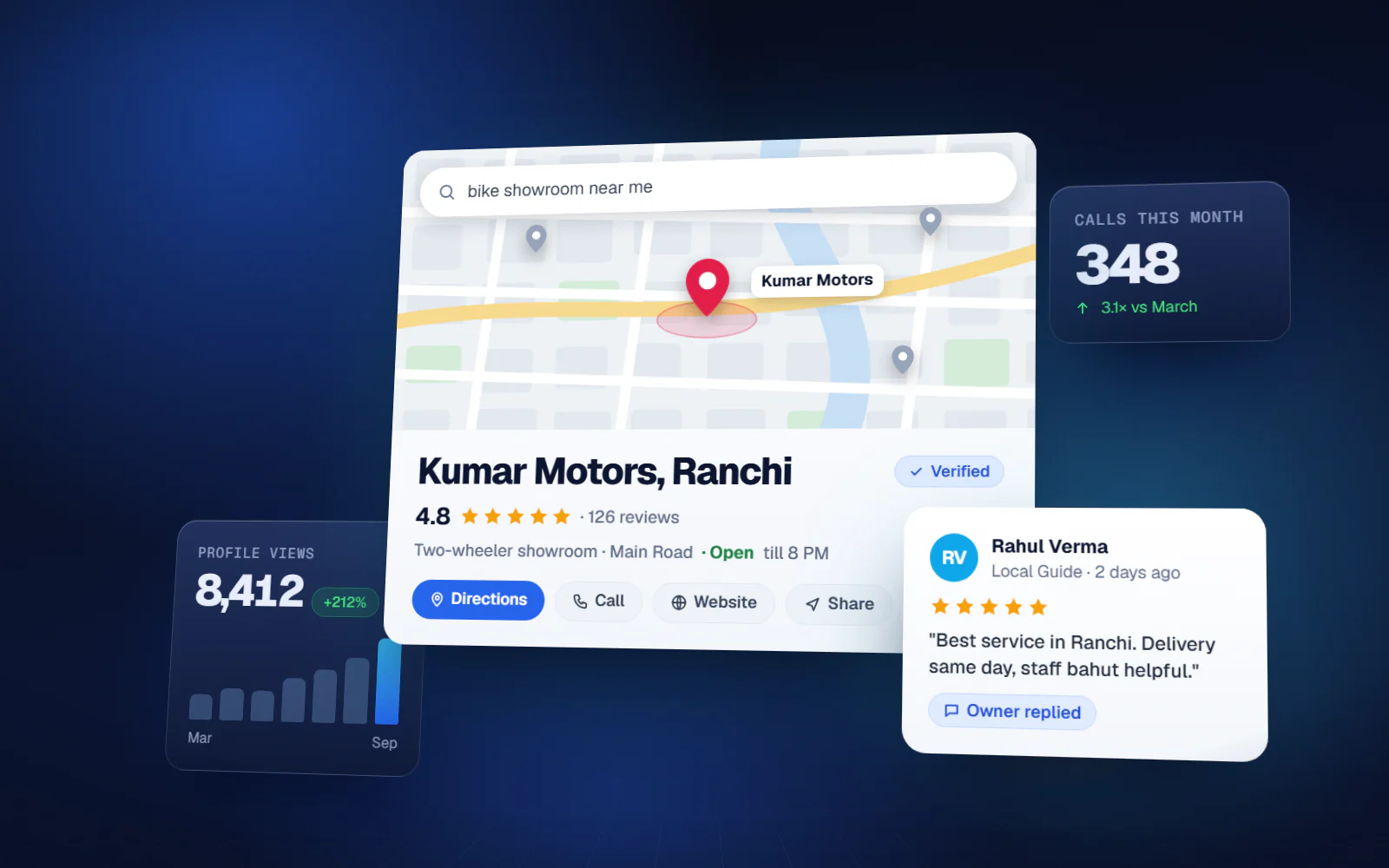
When someone in Ranchi types 'dentist near me' or 'coaching for class 10 in Lalpur', Google shows three businesses on a map before any website. Whether yours is one of them depends mostly on your Business Profile. This Google Business Profile optimization checklist covers what actually moves local ranking, in the order a busy owner should do it, plus the mistakes that get listings suspended.
How Google decides who shows up on Maps
Google's own help pages name three factors for local results. Relevance is how well your profile matches the search. Distance is how far you are from the person searching. Prominence is how well known your business is, which includes reviews, ratings and how many websites mention or link to you. You cannot change distance, so everything below works on relevance and prominence.
That also explains why nobody can honestly promise you the top spot for every search. A customer standing next to a competitor will often see the competitor first. What you can do is make your profile the strongest one within a reasonable radius.
Google Business Profile optimization checklist: the basics
1. Verify the profile and own it properly
- Verify the listing. Google chooses the method, and today it is often a short video showing your signboard, the inside of the shop and proof you run it.
- Make sure the owner account is a business email you control, not the personal Gmail of a staff member or an old agency.
- If a listing already exists under someone else's control, request ownership through Google rather than creating a duplicate.
2. Name, address and phone (NAP) exactly as in the real world
Use the name on your signboard and GST or shop registration. Do not add words like 'Best Dental Clinic Ranchi' to the name. Google's guidelines say the name should reflect your real-world business name, and keyword stuffing is one of the most common reasons listings get edited or suspended. Keep the same name, address and phone number on your website, Facebook page, Justdial and any directory, so Google sees one consistent business.
3. Pick the right categories
The primary category matters more than anything else you type. Choose the most specific one that describes the business as a whole — 'Dental clinic' rather than 'Doctor', 'Coaching center' rather than 'School'. You can add up to nine additional categories, but only add ones that are genuinely true. Two or three accurate extras usually beat nine loose ones.
4. Fill every field you can
- Opening hours, including special hours for Diwali, Chhath, Eid and other holidays
- Services or products with short, plain descriptions and, where you are comfortable, a starting price
- Service area, if you visit customers (plumbers, pest control, AC repair)
- Business description written for customers: what you do, for whom, which area — no keyword lists
- Attributes such as wheelchair access, online appointments or payment options, where offered
- Website link and appointment or booking link, if you have one
Photos and videos that help customers choose
Profiles with real photos look alive; stock images look like a listing nobody manages. Upload a clear logo and cover, the shopfront as seen from the road (this helps first-time visitors find you), the inside, your team, and your actual products or work. A clinic can show the reception and treatment room; a coaching centre, the classroom and results board; a showroom, its best display. Add a few new photos every month instead of fifty on day one.
Reviews: the prominence factor you control
Reviews count for prominence and are the first thing a customer reads. A steady flow of recent, genuine reviews does more than a burst of fifty in one week. Make asking easy and routine:
- Print a QR code that opens your review link and put it at the billing counter, reception or on the invoice
- Send the review link on WhatsApp after a completed service or delivery
- Ask every customer, not only the happy ones — filtering who gets asked (review gating) is against Google's policy
- Never offer discounts, gifts or cashback in exchange for reviews; Google prohibits incentives of any kind
- Reply to every review, good or bad, within a few days — calmly, without sharing a patient's or customer's private details
Posts and keeping the profile active
Google Business Profile posts let you publish updates, offers and events that appear on your profile. Update posts fade from prominence after about a week, which is why one post a week is a sensible rhythm. Offers and events stay until the date you set. Good local posts are simple: new stock arrived, admission open for a new batch, a free check-up camp on Sunday, festival timings.
Google has phased out the old public Q&A section and now generates answers to customer questions from your profile details, website and reviews. So if customers keep asking 'Is parking available?' or 'Do you take UPI?', put the answer in your attributes, services, description and website — that is where Google now looks.
Spam pitfalls that get listings suspended
| Mistake | Why it hurts |
|---|---|
| Keywords or city names added to the business name | Treated as keyword stuffing; can lead to edits or suspension |
| A listing at a home address or virtual office where customers are never served | Violates address rules; common trigger for suspension |
| Several listings for the same business at one address | Duplicates split reviews and can be removed |
| Buying reviews or trading reviews with other shops | Fake reviews can be removed and the profile restricted |
| Frequent edits to name, address and category | Repeated major changes can trigger re-verification |
| Letting an agency own the listing | You lose control if you stop working with them |
A monthly routine that takes 30 minutes
- Week 1: add 3-5 new photos and one post
- Week 2: reply to all new reviews and fix any wrong details customers point out
- Week 3: one post about an offer, new service or event; check hours are correct
- Week 4: look at the Performance tab — calls, direction requests, website clicks — and compare with last month
The Performance numbers are the real report card. If calls and direction requests rise month by month, your Google Business Profile optimization is working, whatever your exact position on the map.
Where the profile ends and a website begins
A strong profile brings calls and walk-ins on its own, but Google's prominence factor also looks at how many websites mention or link to you. A simple, fast website with the same name, address and phone, a page for each main service and a link back to your profile supports the listing. Businesses in competitive categories usually need both.
Work through this Google Business Profile optimization checklist once properly, then keep the monthly routine. Most local businesses in Jharkhand and Bihar never get past the first step, which is exactly why a complete, active profile stands out.
FAQ
How do I rank higher on Google Maps?
Choose the most specific primary category, complete every field, keep name, address and phone consistent everywhere, add real photos, post weekly and collect genuine reviews steadily. Distance from the searcher also matters and cannot be changed.
How many categories can I add to a Google Business Profile?
One primary category and up to nine additional ones. Only add categories that genuinely describe your business; a few accurate ones work better than many loose ones.
Can I add keywords to my business name on Google?
No. Google's guidelines say the name should match your real-world business name. Adding service or city words is treated as keyword stuffing and can lead to edits or suspension.
Is it allowed to give a discount for Google reviews?
No. Google prohibits incentives of any kind for reviews, including discounts, free services and gifts. You can ask every customer for an honest review, but not reward them for it.
How often should I post on Google Business Profile?
About once a week works for most local businesses, because update posts become less prominent after roughly a week. Offer and event posts stay visible until the end date you set.