No-Code vs Custom Development: When Should a Business Hire Developers?
No-code vs custom development for Indian businesses: what Bubble, Glide, AppSheet and Zoho Creator do well, where they stop, and when to hire developers.
No-code and low-code tools let you build a working app without writing code: drag screens together, connect a spreadsheet or database, publish. For many small businesses that is the right first step. But a common pattern is a company whose no-code app has quietly become the bottleneck. This guide on no code vs custom development explains what each option does well, the signs you have outgrown no-code, and the cost drivers to compare honestly.
What no-code and low-code tools actually are
The names get mixed up, so here is the short version. No-code tools are built for non-programmers; low-code tools add scripting for developers who want to go faster. All of them host your app on the vendor's platform and charge a subscription.
| Tool | Type | Typical use |
|---|---|---|
| Google AppSheet | No-code | Apps on top of Google Sheets or databases; AppSheet Core is included in several Google Workspace editions |
| Glide | No-code | Simple internal or customer apps built from a spreadsheet |
| Bubble | No-code | Web apps with custom workflows and a built-in database |
| Zoho Creator | Low-code | Business apps inside the Zoho ecosystem, with its own scripting language |
| Custom development | Code | Web or mobile app built for your process, on a stack you choose |
Where no-code wins
- Speed: a simple internal app (field reports, stock checks, visitor log) can be live in days
- Low starting cost: a subscription instead of a development project
- Testing an idea: you learn what users actually need before investing in code
- Your team can change screens and fields without waiting for a developer
- Good enough for many internal tools that a handful of people use
If your need fits the tool's building blocks, starting with no-code is sensible, and we say so to clients. An automated Google Sheet or an AppSheet app is often the fastest honest answer.
One tip if you start with no-code: keep your data in a structure you control, such as a Google Sheet or a standard database, rather than only inside the tool. Document the rules the app follows as you build them. If you later move to custom development, that data and those written rules cut the rebuild time sharply.
Where no-code hits limits
Ownership and lock-in
Your app lives on the vendor's platform. On many no-code tools you cannot export the app as source code and run it elsewhere; you can export data, but you rebuild the app if you leave. Price changes, plan changes or the vendor shutting a feature are decisions you don't control.
Per-user and usage pricing at scale
No-code subscriptions are usually priced by users, apps, rows, or workload units. That is cheap with ten users and can become expensive when you add hundreds of staff, customers or dealers who each need a login.
Complex logic and integrations
Pricing rules with many conditions, multi-step approvals, Indian-specific requirements such as GST documents or Tally sync, or integrations with scales, machines and old software often require workarounds. Each workaround makes the app harder to maintain.
Performance and data size
Apps built on spreadsheets slow down as data grows, and a Google Sheet itself holds up to 10 million cells. Heavy reports, many simultaneous users or large histories push you towards a proper database.
Customer-facing quality
If the app faces your customers, brand, speed, SEO and exact user experience matter more. No-code front ends can look generic and are harder to fine-tune.
No code vs custom development: side-by-side
| Factor | No-code / low-code | Custom development |
|---|---|---|
| Time to first version | Days to weeks | Weeks to months |
| Upfront cost | Low (subscription) | Higher (project) |
| Running cost | Grows with users, apps and usage | Hosting and maintenance; no per-user licence |
| Ownership | App lives on vendor's platform | Code, database and hosting can be yours |
| Flexibility | Within the tool's building blocks | Built to your exact process |
| Integrations | Available connectors, workarounds | Whatever you scope |
| Scale | Fine for small teams and data | Designed for your expected load |
| Who can change it | Trained staff | Developers |
Signs it is time to hire developers
- Your subscription bill grows every time you add users who only need one screen
- Staff keep a parallel Excel because the app can't do one important thing
- Reports take minutes to load or time out
- You need customers, dealers or vendors to log in with proper permissions
- You are stacking paid add-ons and connectors to glue tools together
- The app has become core to the business and you are uneasy that you don't own it
What drives the cost of a custom web app
There is no honest single price for custom development, because scope varies too much. These are the factors that move the cost:
- Number of user roles and screens
- Complexity of business rules: approvals, pricing, calculations
- Integrations: payment gateway, WhatsApp, Tally, email, SMS, hardware
- Data migration from sheets or the no-code app
- Mobile app versus responsive web app
- Security and audit requirements
- Maintenance and support after launch
A practical middle path is common: keep a no-code tool or automated sheet for the small internal tasks, and build custom only for the core process that has outgrown it. You do not have to rebuild everything at once.
How to hire developers without regretting it
- Get the scope in writing before any quote: screens, roles, rules, integrations, timeline
- Insist the code repository, database and hosting accounts are in your company's name
- Ask how data from your current tool will be moved
- Ask what maintenance after launch looks like, and whether you can hand over to your own team
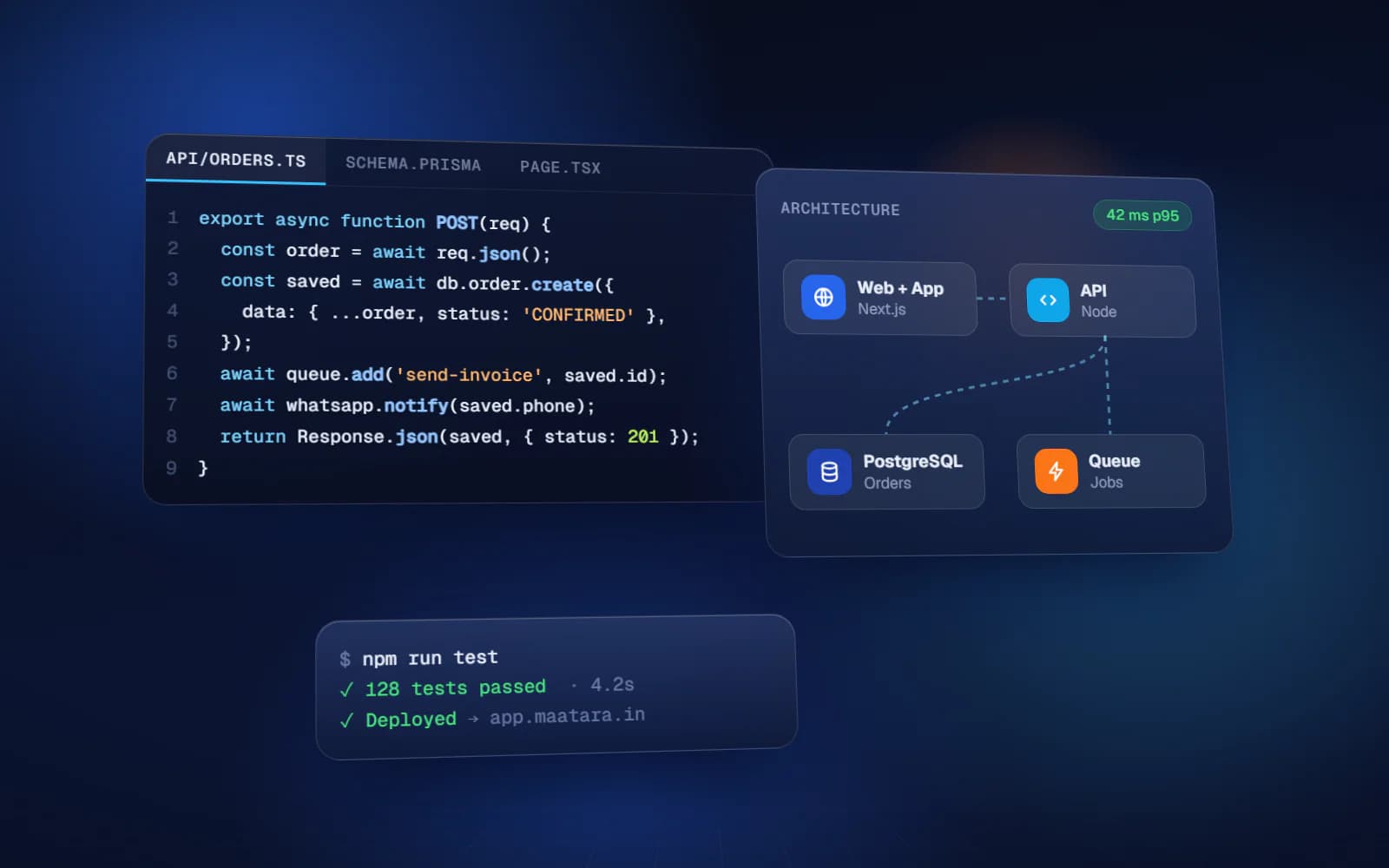
Yuktantra provides full-stack development services in India: frontend, backend, APIs, databases, authentication and deployment, by one accountable team. We usually use Next.js and React on the frontend and choose the backend and database for the project. Discovery and a written blueprint come first, then a quote fixed for that scope. The repository is in your name from day one, and ongoing maintenance is available as a monthly plan, or we hand over cleanly to your own team.
FAQ
Is no-code better than custom development?
Neither is better in general. No-code is better for fast, simple internal tools and testing ideas; custom development is better when the app is core to the business, needs complex logic, many users or integrations, or must be owned by you.
What is the difference between low-code and no-code?
No-code tools are designed for non-programmers using visual builders. Low-code tools also use visual building but let developers add scripts for more complex logic.
Can I move my no-code app to custom code later?
Usually you can export the data but not the app itself, so the app is rebuilt in code. The no-code version is still valuable, because it shows exactly which screens and rules users need.
Is AppSheet free with Google Workspace?
AppSheet Core is included in several Google Workspace editions, such as Business Starter, Standard and Plus, for domain-verified customers. Check your edition in the Workspace admin console.
When should a small business hire developers?
When subscription costs grow with every user, staff maintain parallel spreadsheets, the app is too slow, customers or vendors need their own logins, or the process no longer fits the tool.