WhatsApp Business App vs WhatsApp Business API: Which Does Your Business Need?
WhatsApp Business app vs API explained for Indian businesses: limits, Meta's per-message pricing, templates, opt-in rules and how numbers get banned.
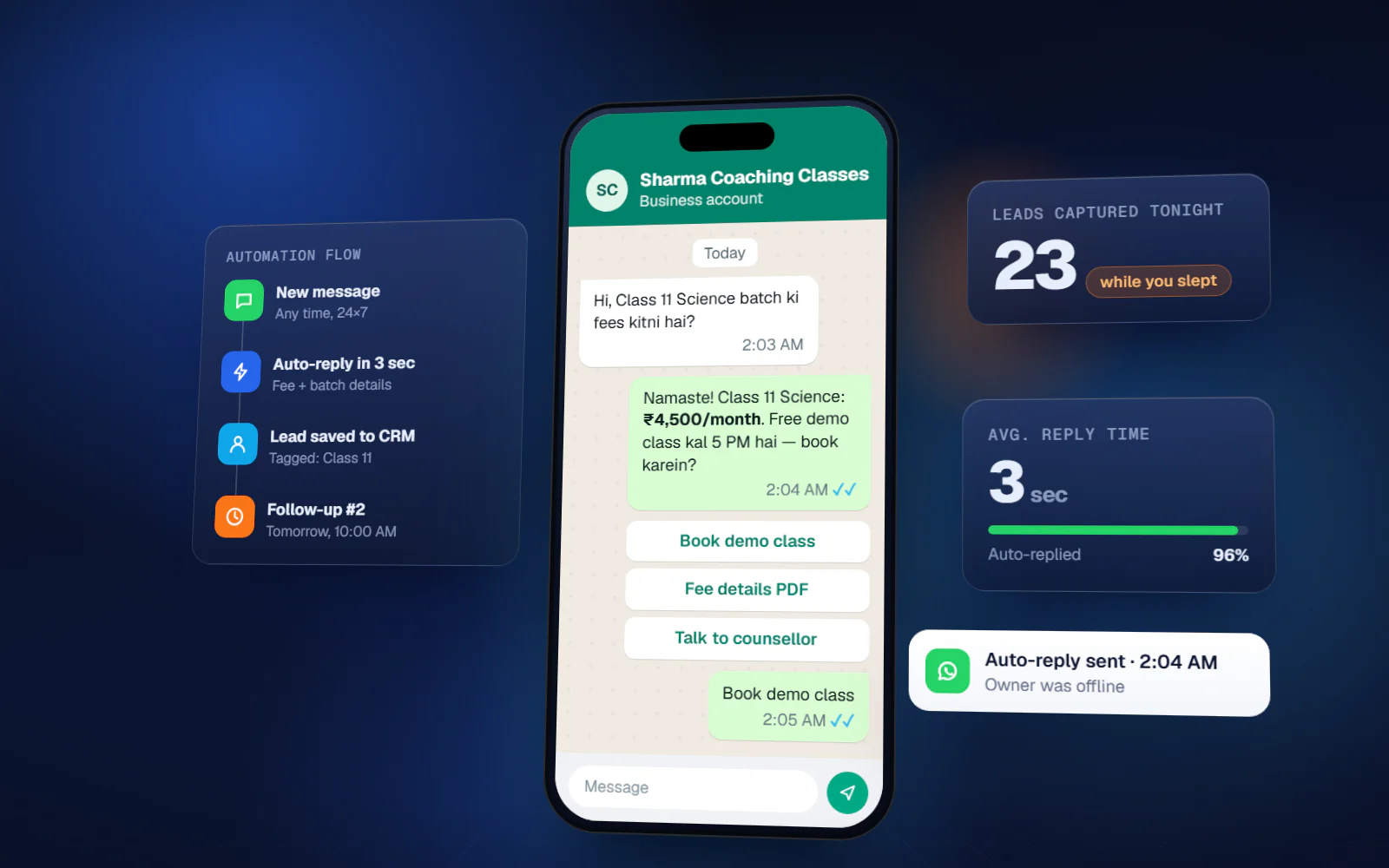
Almost every shop, clinic and coaching centre in India already uses WhatsApp to talk to customers. The question comes when messages pile up: should you stay on the free WhatsApp Business app, or move to the WhatsApp Business API that vendors keep pitching? This guide to WhatsApp Business app vs API explains what each one can and cannot do, how Meta charges for the API, the rules you must follow, and which one fits a local business.
The short answer
If one or two people reply to customers from a phone and you send a few hundred messages a week, the free app is enough. If you want automatic replies, reminders sent by software, several staff on one number, or messages to thousands of customers without risking your number, you need the API.
WhatsApp Business app vs API: side-by-side
| WhatsApp Business app | WhatsApp Business API (Business Platform) | |
|---|---|---|
| Cost | Free app | Meta charges per template message; provider or setup costs extra |
| How you use it | On a phone, plus a few linked devices | Through software: a CRM, inbox or your own system |
| Replies | Manual, with quick replies and a simple greeting/away message | Automated flows, keyword replies, chatbots, handover to staff |
| Bulk messages | Broadcast lists of up to 256 contacts; only people who saved your number receive them | Approved templates to opted-in customers, within Meta's messaging limits |
| Team | Shared phone or linked devices, no proper assignment | Many agents, chat assignment, history in one place |
| Integrations | Catalog and labels only | Billing, CRM, website forms, payment links, reminders from your data |
| Ban risk | Low if you message people who know you; high with unofficial bulk tools | Low if you follow opt-in and template rules; quality is monitored |
What the WhatsApp Business app does well
- Business profile with address, hours, website and catalog
- Labels to sort chats (new enquiry, paid, pending)
- Quick replies for common answers and a greeting and away message
- Broadcast lists for small offers, capped at 256 contacts per list
- Zero cost and nothing to set up
The limits show up as you grow. Broadcasts only reach people who have saved your number, so many of them never arrive. Nothing can trigger a message from your billing software. And when three staff members answer from one phone, nobody knows who promised what.
What the WhatsApp Business API adds
The API (Meta calls it the WhatsApp Business Platform, usually used through the Cloud API) connects your number to software. That is what makes real automation possible:
- Instant auto-reply to every new enquiry, day or night
- Follow-up message when a customer's call is missed
- Payment, fee and appointment reminders sent automatically from your records
- Order, delivery or report-ready updates
- Several staff answering from one number, with chats assigned and tracked
- Handover from bot to a person, with the full chat history
In many countries including India, Meta now also supports coexistence: a number already on the WhatsApp Business app can be connected to the Cloud API, so the owner keeps using the phone app while automations run on the same number. It is worth asking your provider whether it fits your setup before changing numbers.
WhatsApp Business API cost: how Meta charges
Meta moved the WhatsApp Business Platform from conversation-based pricing to per-message pricing on 1 July 2025. The model, in general terms:
- You pay when a template message is delivered. Templates are pre-approved message formats used to start or restart a conversation.
- Templates fall into three categories: marketing (offers, festival greetings), utility (order updates, payment reminders) and authentication (OTPs). Marketing messages cost the most.
- When a customer messages you, a 24-hour customer service window opens. Your normal replies inside it are free, and utility templates sent inside it are also free.
- If a customer comes from a Click-to-WhatsApp ad or a Facebook Page button, a longer free window applies.
- Rates differ by country. For India, Meta has introduced billing in rupees.
On top of Meta's charges, you pay whoever provides the software or setup — a platform subscription, a one-time build, or both. Because Meta's rates change from time to time, check the current rate card on Meta's developer site or with your provider before you plan a campaign. For most local businesses the real cost driver is marketing broadcasts; reminders and replies to customers who message you first cost little or nothing.
Rules you must follow on the API
Opt-in
Meta requires that customers have given you their number and agreed to receive messages from your business, with your business name clearly stated. Opt-in can be collected on a website form, a paper form at the counter, a missed-call or SMS flow, or in the chat itself. A list bought from someone else is not opt-in.
Templates
Any message sent outside the 24-hour window must be an approved template. Templates are reviewed and categorised by Meta; a promotional message cannot be passed off as a utility one.
Messaging limits and quality
A new account can message a limited number of unique customers in a rolling 24 hours — Meta's documentation starts new business portfolios at 250. The limit rises in steps as you verify your business and keep message quality high. If customers block or report you, your quality rating drops and Meta can restrict sending.
Why numbers get banned
Most bans local businesses face come from shortcuts, not from the official API:
- Unofficial bulk-sender software, browser extensions or modified WhatsApp apps
- Messaging thousands of people who never gave you their number
- Sending the same promotional message again and again until people report it
- A brand-new number that suddenly blasts messages
On the official API with opted-in customers and approved templates, bulk messaging is the allowed route. That is why every 'send 10,000 WhatsApp messages for cheap' offer that does not mention templates or opt-in should be treated with caution.
Which one should your business choose?
| Your situation | Better fit |
|---|---|
| Owner replies personally, under 30-40 chats a day | WhatsApp Business app |
| Enquiries arrive at night and go cold by morning | API with auto-reply |
| Fee, EMI or appointment reminders every month | API with utility templates |
| Two or more staff handle customer chats | API with a shared inbox |
| Festival offers to your full customer list | API with marketing templates and opt-in |
The WhatsApp Business app vs API decision is not permanent. Many businesses start on the app, keep their chat habits, and connect the API once reminders and follow-ups become a daily job.
FAQ
What is the difference between WhatsApp Business app and WhatsApp Business API?
The app is free and used manually on a phone. The API connects your number to software, enabling auto-replies, reminders from your records, bulk template messages to opted-in customers and multiple staff on one number.
Is WhatsApp Business API free or paid?
Paid. Since July 2025 Meta charges per delivered template message, with marketing messages costing more than utility ones. Replies within 24 hours of a customer's message are free. Providers also charge for their software or setup.
Can I use the WhatsApp Business app and API on the same number?
Meta's coexistence option lets a WhatsApp Business app number be connected to the Cloud API in many countries including India, so the app and automations run together. Check eligibility with your provider.
How many people can I message on the WhatsApp Business API per day?
New accounts start with a limit of unique customers per rolling 24 hours — 250 in Meta's documentation — which rises in steps with business verification and good message quality.
Will bulk WhatsApp messages get my number banned?
Bans usually come from unofficial bulk tools and messaging people without consent. Using the official API with opted-in customers and approved templates is the way Meta allows messaging at scale.