WhatsApp automation connected to your systems, not a separate inbox
Order updates, payment reminders and enquiry qualification going out from your ERP or CRM automatically — on the channel your customers already use.
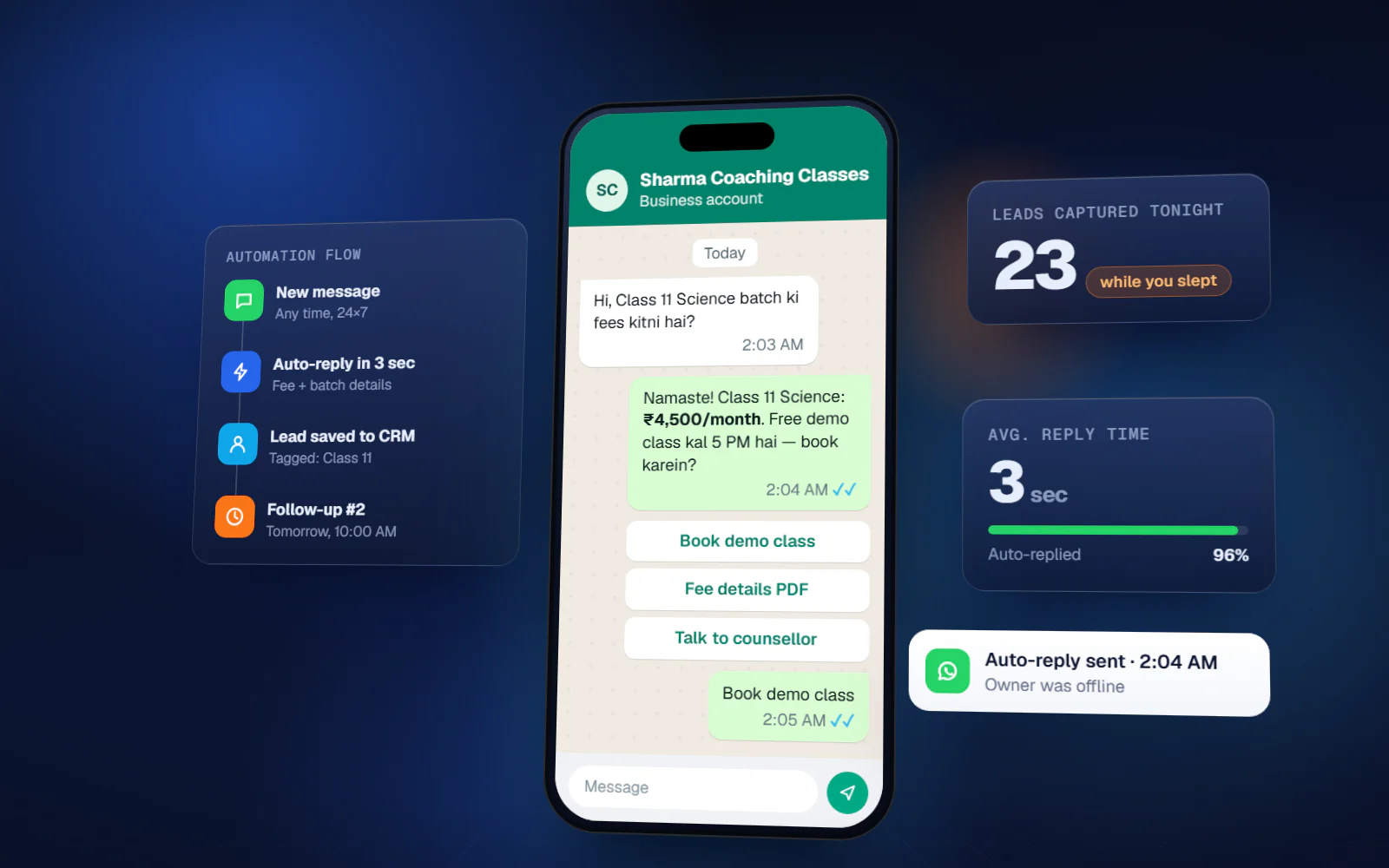
What manual WhatsApp costs you
- Order and dispatch updates are typed out one customer at a time
- Payment reminders depend on someone remembering to send them
- Enquiries arrive on a personal number and are lost when that person is away
- Nobody can see what was promised to a customer and by whom
- Broadcasts from a personal number risk the number being blocked
WhatsApp Business Automation — what you get
Business API setup
Verified business account, green tick application and templates.
Order notifications
Confirmation, dispatch and delivery updates from your system.
Payment reminders
Scheduled reminders with a payment link, before and after due date.
Lead qualification
Automated first response that captures requirement and budget.
Support automation
Common questions answered automatically, with escalation to a person.
Team inbox
Shared inbox with assignment, so conversations survive absences.
Catalogue & ordering
Product catalogue and order placement inside the chat.
ERP/CRM integration
Every message logged against the customer record.
What changes
You know the scope and the cost before we write code
Most failed software projects fail in the first three weeks, not the last three. This is where we spend the effort.
- 01
Discovery
1–2 weeksWe sit with the people who do the work — not only management. Most of the real requirements are in what they have quietly worked around for years.
- 02
Blueprint & estimate
1–2 weeksScope, module list, integration points, timeline and fixed cost. You can take this document to another vendor — that is the point.
- 03
Design
2–3 weeksClickable screens before development. Changing a screen at this stage costs an hour; changing it after build costs a week.
- 04
Development
4–16 weeksTwo-week sprints with a working demo at the end of each one. You see progress continuously instead of waiting for a reveal.
- 05
Testing & UAT
2–3 weeksYour team uses it on real data before go-live. Every issue is logged and closed in writing.
WhatsApp Business Automation — available in
Frequently asked questions
Is this different from WhatsApp Business app?
Yes. The free app is manual and single-device. The Business API allows automation, integration with your systems, multiple agents on one number, and approved template broadcasts without risking a ban.
What does WhatsApp itself charge?
Meta charges per conversation, and rates vary by category and country. That cost is billed by the provider directly, so we show it separately rather than bundling it into our fee.
Can we keep our existing number?
Yes, if it is not currently active on the WhatsApp Business app. Migration is part of the setup.
Will messages look automated?
Templates are written to read like a person wrote them, and anything conversational is handled by your team through the shared inbox. The aim is faster replies, not obviously robotic ones.
Start with the problem, not the software
A 45-minute call. We map where the manual work actually is and tell you whether it is worth building anything at all. No cost, no obligation.
If custom software is the wrong answer for you, we will say so on that call.