Custom CRM development your sales team will actually use
Most CRMs fail because they add data entry without giving the salesperson anything back. We build the follow-up in, so the system does the chasing.
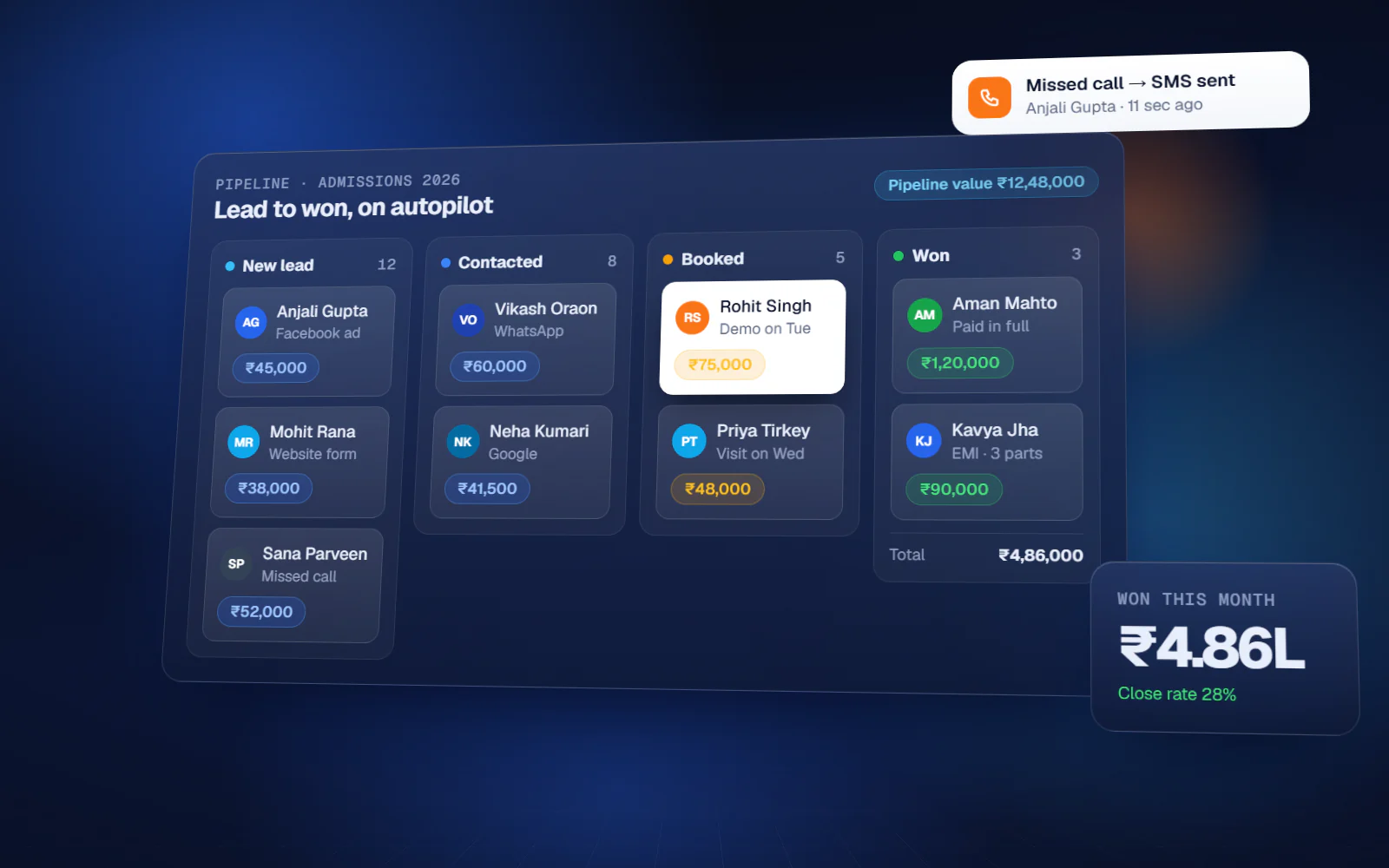
Why sales teams abandon CRMs
- Leads sit in WhatsApp, notebooks and individual phones
- Follow-ups depend on memory, and warm leads go cold
- When a salesperson leaves, their pipeline leaves with them
- Quotations are made in Word, with no record of what was sent
- Nobody knows which marketing spend actually produces revenue
CRM Development — what you get
Lead capture
Website, ads, WhatsApp, calls and walk-ins into one pipeline.
Pipeline & stages
Stages that match how you sell, with ageing and stuck-deal alerts.
Follow-up automation
Scheduled reminders and automatic WhatsApp or email follow-ups.
Quotations
Templated quotes with version history and approval flow.
Call & visit logging
Activity capture from mobile, including field visit check-ins.
Customer records
Full history of conversations, quotes and orders in one place.
Targets & performance
Target versus achievement by person, product and territory.
Analytics
Conversion by stage, source and salesperson, with cost per acquisition.
What changes
You know the scope and the cost before we write code
Most failed software projects fail in the first three weeks, not the last three. This is where we spend the effort.
- 01
Discovery
1–2 weeksWe sit with the people who do the work — not only management. Most of the real requirements are in what they have quietly worked around for years.
- 02
Blueprint & estimate
1–2 weeksScope, module list, integration points, timeline and fixed cost. You can take this document to another vendor — that is the point.
- 03
Design
2–3 weeksClickable screens before development. Changing a screen at this stage costs an hour; changing it after build costs a week.
- 04
Development
4–16 weeksTwo-week sprints with a working demo at the end of each one. You see progress continuously instead of waiting for a reveal.
- 05
Testing & UAT
2–3 weeksYour team uses it on real data before go-live. Every issue is logged and closed in writing.
CRM Development — available in
Frequently asked questions
How is this different from Zoho or HubSpot?
Those are excellent for standard sales processes, and we implement Zoho and GoHighLevel too. Custom makes sense when your process does not fit their model, when per-user costs get heavy at scale, or when the CRM has to sit deep inside your ERP.
Will it connect to WhatsApp?
Yes, through the WhatsApp Business API — enquiries arrive in the pipeline and follow-ups go out from it, with the conversation stored against the customer.
Our field team is on the road all day.
The mobile app handles visit check-in, order booking and follow-up updates, and works offline where signal is poor.
Can we import our existing customer data?
Yes, from Excel, another CRM or your accounting system. Cleaning and deduplication are part of the migration.
Start with the problem, not the software
A 45-minute call. We map where the manual work actually is and tell you whether it is worth building anything at all. No cost, no obligation.
If custom software is the wrong answer for you, we will say so on that call.